Galley for Self-Publishing
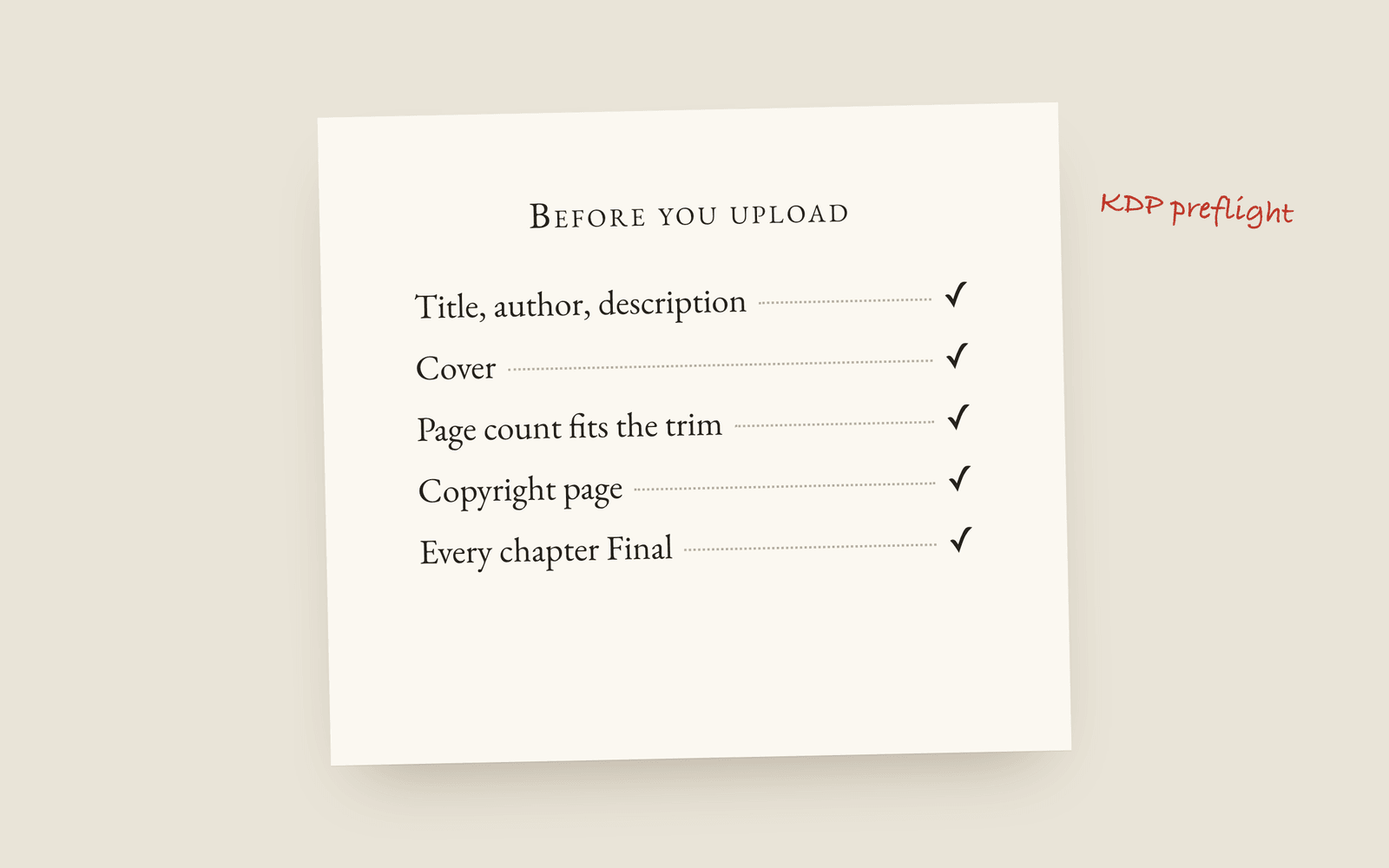
Self-publishing needs two files, a print-interior PDF and an EPUB, and both come out of the same book because the page was set correctly from the first sentence. Before you upload, KDP preflight tells you what Amazon will reject, and delivery readiness tells you whether the book is actually finished. There's no reformatting week at the end, because nothing gets converted.
Most self-publishing advice treats formatting as the last step. Finish the novel, then spend a week in a formatting tool, then spend a second week fixing what the import broke. I’ve watched people budget a fortnight for that and lose a month.
Galley moves that step to the start. You pick the trim size and the typeface before chapter one, so the page you type on is the page that gets printed, and there’s nothing to convert at the end.
Here’s what the self-publishing half of the tool does.
The two files you need
A paperback needs a print-interior PDF. Fixed pages, mirrored margins, and a real gutter, which is the inner margin that disappears into the spine if nobody accounts for it. Galley sizes it to whichever of the six trim sizes you chose, and if you turn justification on, it hyphenates by the book’s language.
An ebook needs an EPUB. Reflowable, cover embedded, chapter navigation working, so the reader’s device decides where the lines break. That’s why a print PDF makes such a bad ebook.
Both files come out of one manuscript. Fix a typo and both files have the fix, so the paperback and the Kindle edition don’t drift apart over the next six months. The longer version of that argument is here.
One EPUB per store, when the stores disagree
The generic EPUB works everywhere. If you want to be fussier, Galley will build a tuned file for Kindle, Kobo, Apple Books, Google Play and Nook.
The differences are small and annoying. Older Kindle and Nook e-ink renderers overlap a floated drop cap with the text underneath it, so those two get a raised initial instead and the other three keep the proper drop cap. If you have other books with store links saved, the “Also by” page in the back matter points at the store the reader is already in, rather than sending your Kobo reader to Amazon.
Two checks before you upload
The first is narrow. KDP preflight asks whether Amazon will accept the file: title, author and description filled in, a cover added, page count inside what the trim allows, no empty chapters, a table of contents, every chapter marked Final. Green across the board means upload it. It’s much better to find out here than from a KDP rejection email.
The second is the harder question. Delivery readiness asks whether the book is done as a book. Chapters that are empty or still sitting at fifty words. A missing copyright page. Comments you left yourself while drafting and never went back to, counted and located. A quoted lyric still marked “to request” in the permissions ledger. (That last one is the expensive one to miss.)
Neither check stops you exporting, because a short chapter or a missing page is often deliberate.
The pages a published book has
The copyright page writes itself out of the metadata you already filled in, so you’re not retyping your own ISBN into a template you found on a forum. The table of contents builds itself. If you kept a glossary or used references while writing, they assemble into real back matter at export, and the endnotes renumber themselves when you move a chapter.
Your cover, blurb, ISBN, categories and keywords live in one place. Whether you need an ISBN at all depends on where you are publishing and how much you care about the imprint, and I’d read that before buying one.
Copies for other people
Advance readers get a watermarked draft with their own name printed on every page, one file per reader, so a leaked copy is traceable. Your proofreader gets a proofreading PDF, two pages to a sheet, made for a red pen. Readers who need it bigger get a large-print PDF of the same book.
What Galley doesn’t do
It doesn’t design your cover. It doesn’t run your launch, build your mailing list, or price your book. It won’t buy your ISBN or open your KDP account.
If decorative interior themes are the thing you’re buying, Vellum is much better at that than Galley is. Galley sets the classic book conventions correctly and doesn’t offer a library of themes on top. What you get is one manuscript that’s been laid out as the book the whole time, and an export menu at the end.
Where to start
The demo is the real app with a book already in it, no sign-up, for about half an hour. Open the Toolkit and export the print PDF of a book you didn’t write.
Galley for self-publishing authors · The Toolkit · Publishing and preflight · Manuscript to published book
More on publishing
- Kindle Unlimited Page Reads: How KENP PaysHow Kindle Unlimited pays authors through KENP page reads, roughly what a page is worth, how many KENP pages your novel is, and when a borrow beats a sale.
- KDP Royalties Explained: 35%, 70% and the Paperback MathsHow Amazon KDP pays for ebooks and paperbacks: the 35% and 70% ebook bands, the delivery fee, the paperback royalty and printing cost, and worked examples for a typical novel.
- The Copyright Page for a Novel, Line by LineWhat goes on the copyright page of a self-published novel, which lines are required, which are habit, and the wording most novels use.