What You See Is What Prints: Writing on the Real Book Page
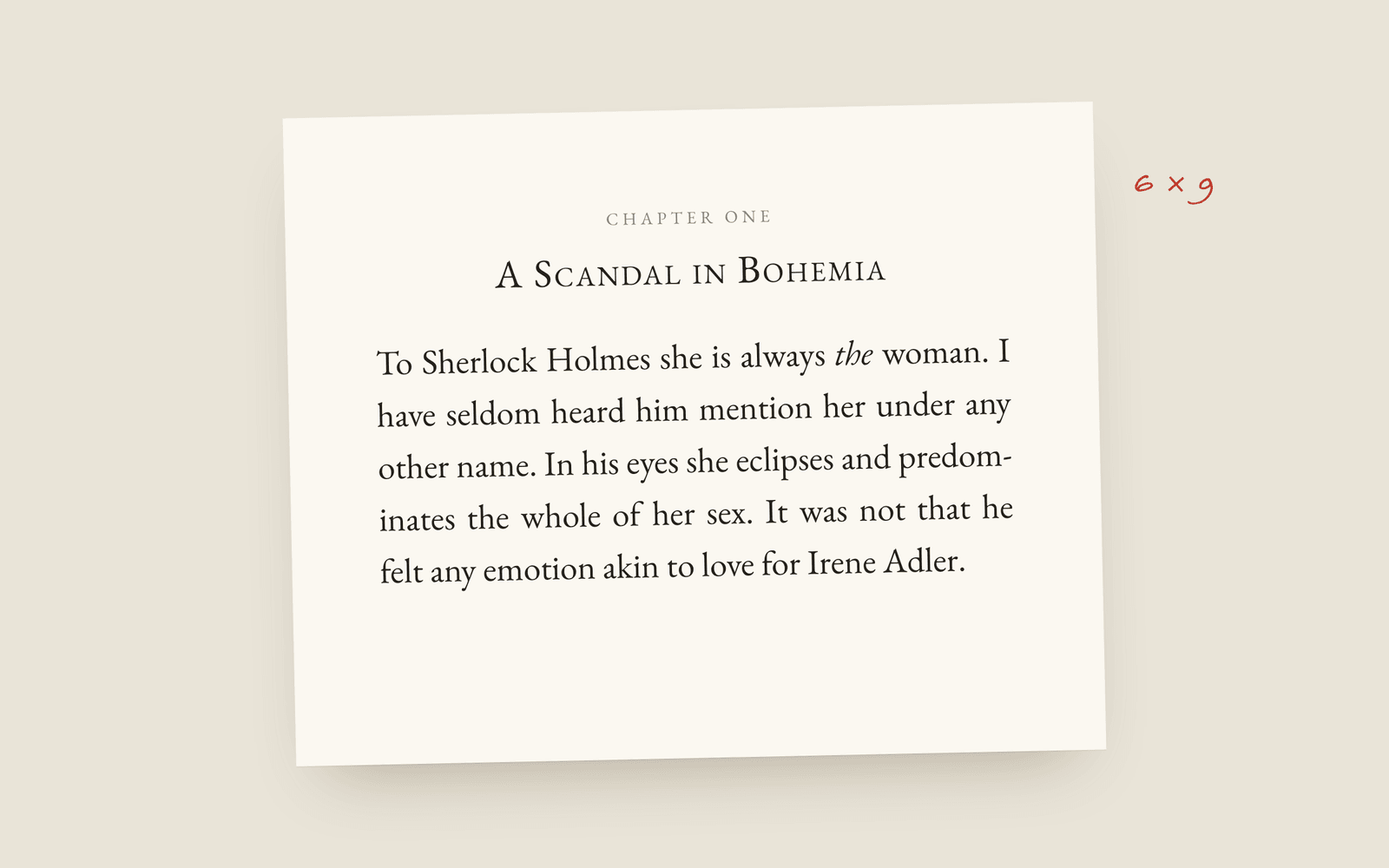
In Galley you don't draft in a plain editor and hope it formats later. You write on the trim-size page, in the book's typeface, with the scene breaks and chapter openings visible as you type. What's on screen is what prints, so there's no compile step and nothing surprising at export.
Open almost any writing app and you get a text box. The book itself (the trim, the type, the margins, how a chapter opens) stays hidden until you export it and hope. Galley does it the other way round: the page you write on is the page that prints.
Writing on the finished page
You pick a trim size and a typeface, and that’s the page you write on. There are 35 book typefaces, all licensed so you can sell the book, and the editor only shows the ones that can set your book’s language. Scene breaks look like scene breaks, chapters open the way they will in print, and the first paragraph after a heading isn’t indented.
Why bother? Because when the book is a box you only open at the end, formatting turns into its own stressful stage where everything you assumed turns out to be slightly wrong. When you can see it the whole time, there’s nothing to find out late. You’ll notice the chapter that’s twice as long as the others, or a dialogue scene that runs four pages without a break, because you’re looking at pages.
No compile step
Tools like Scrivener keep the writing and the output apart, so at the end you run Compile to put the book together, and Compile is its own thing to learn and get wrong. Galley has no compile step, because there’s nothing to put together. The trim, typeface, chapter openings and scene breaks are part of the book, and exporting turns what’s on the page into the print PDF and the EPUB.
That also gets rid of the export surprise, the one where your spacing collapses, your scene breaks vanish or your italics go missing.
Focus when you want it
Seeing the whole page doesn’t mean seeing clutter. Focus mode hides everything except the page. Typewriter scroll keeps the line you’re writing in the middle of the screen instead of at the bottom. You can keep the page light while the rest of the app is dark, which is nice at 1am. It’s all on the writing page, and the settings are in the editor docs.
The quickest way to see it is the demo. It’s the real app with a book already in it, no sign-up, and you’re typing on a book page in about ten seconds.
More on galley
- Galley for Self-PublishingWhat self-publishing a novel in Galley involves: a print-ready interior PDF, a valid EPUB, a tuned file per store, and two checks that run before you upload to KDP.
- Galley for Traditional PublishingQuerying agents or working with an editor: standard manuscript format, the submission package, watermarked beta drafts, and getting an editor's Word comments back where they belong.
- Is Your Writing Being Used to Train AI?How to find out what your writing app is allowed to do with your manuscript: the licence grant, the improve-our-services clause, the sub-processor list, and what no hosted tool can honestly promise.