Book Margins and the Gutter: The Numbers for KDP
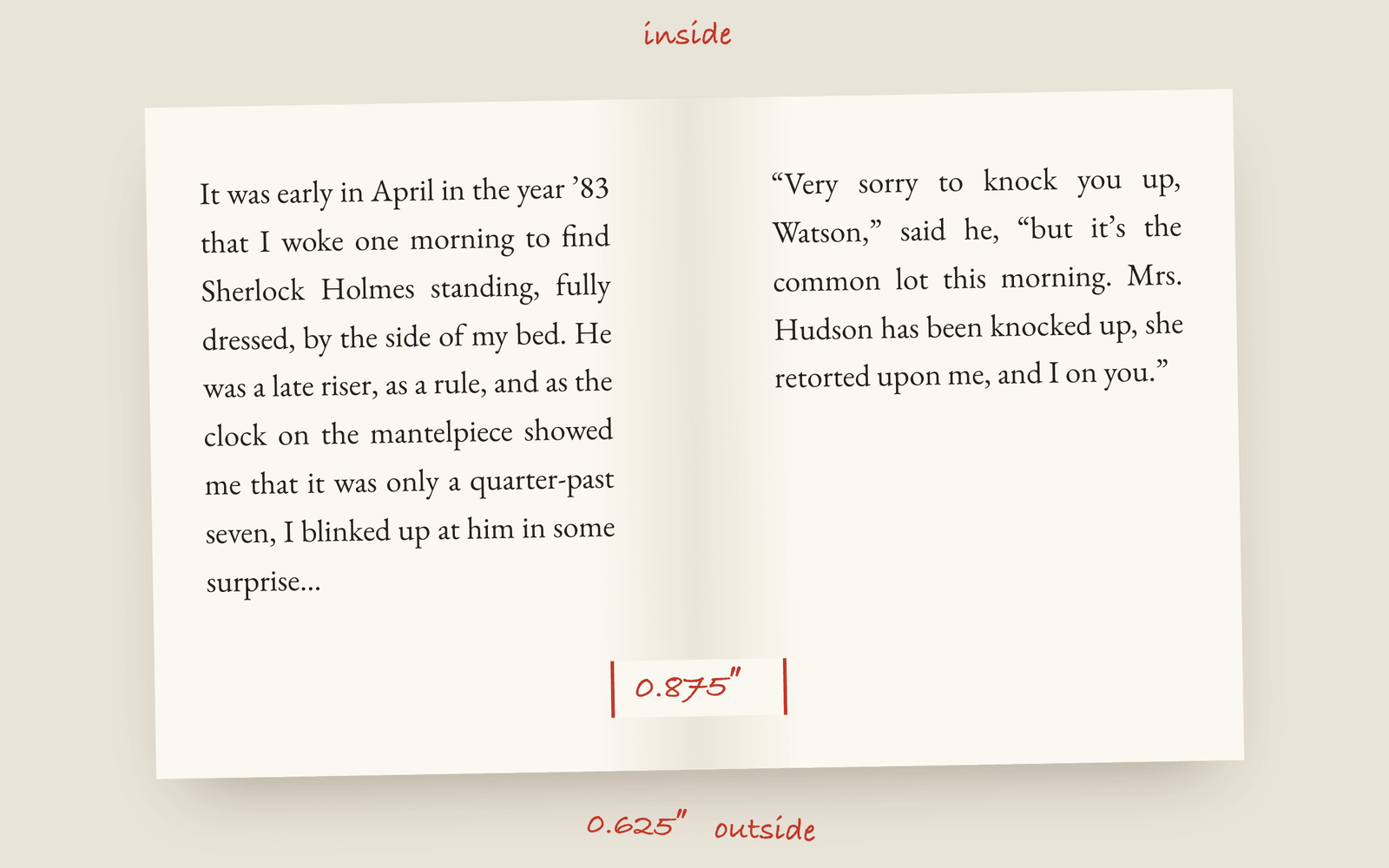
KDP's minimum inside margin depends on your page count, from 0.375 inches for a short book up to 0.875 inches for one over 700 pages. The outside, top and bottom margins have to be at least 0.25 inches without bleed. Those are minimums, not good margins. A novel looks right with about three quarters of an inch at top and bottom and more on the inside than the outside.
The margins on a book page aren’t the same on both sides. The inside margin, the one next to the spine, has to be wider than the outside one, because some of it disappears into the binding when the book is opened. That inside margin is called the gutter, and getting it wrong is the most common reason a self-published paperback feels cramped.
KDP’s minimums
Amazon publishes its margin requirements for paperbacks, and the inside margin is tied to page count. A thicker book curves more at the spine, so more of the page is lost.
| Page count | Minimum inside margin |
|---|---|
| 24 to 150 pages | 0.375″ |
| 151 to 300 pages | 0.5″ |
| 301 to 500 pages | 0.625″ |
| 501 to 700 pages | 0.75″ |
| 701 to 828 pages | 0.875″ |
The outside, top and bottom margins need to be at least 0.25″ if your interior has no bleed, and 0.375″ if it does (most novels don’t). IngramSpark’s numbers are similar.
Minimum isn’t the same as good
If you set a 300-page novel at exactly 0.5″ inside and 0.25″ everywhere else, KDP will accept it, and it will look like a photocopy. The text runs almost to the edge of the paper, there’s nowhere for your thumbs, and the lines are too long to read comfortably.
Look at a published paperback with a ruler. You’ll usually find something like:
- Top and bottom: about 0.75″, sometimes a bit more at the bottom.
- Outside: about 0.6″ to 0.75″.
- Inside: about 0.75″ to 1″, more for a thick book.
On a 6×9 page with 0.875″ inside and 0.625″ outside, the text block is 4.5″ wide, which gives you around 60 to 70 characters a line in an 11-point serif. That’s the comfortable range for reading. On a 5×8 with the same margins, it’s 3.5″, closer to 50 characters, which is why small trims feel faster and denser.
Mirrored margins
Because the gutter is on the right of a left-hand page and the left of a right-hand page, the margins swap sides on every page. In Word that’s the “mirror margins” setting, and it’s off by default, which is how a lot of self-formatted books end up with the wide margin on the wrong side of half their pages. Check it, then check it again after you add any front matter, because one extra page flips everything after it.
Your margins also affect the page count, which affects the spine width and the print cost. Wider margins mean more pages, and more pages cost more.
How Galley does it
Galley’s print PDF uses mirrored margins on every trim: 0.75″ at the top and bottom, 0.875″ on the inside and 0.625″ on the outside. The inside margin already clears KDP’s minimum for the thickest book KDP prints (828 pages), so you can’t end up under it by writing a long book. The running heads sit on the outside edge and move with the gutter as the pages alternate.
You don’t set any of this. You pick a trim size and the margins follow. The gutter and margins glossary entries have the definitions, and the print PDF section of the docs has the rest of what goes into the file.
More on formatting
- What Is a Dinkus? Scene Breaks in a Printed NovelWhat a dinkus is, the other marks novels use for a scene break, and why a blank line on its own goes wrong at the bottom of a printed page.
- Running Heads and Folios: The Top and Bottom of a Book PageWhat goes in the running head of a novel, where the page numbers sit, and the pages that should carry neither.
- How to Choose a Trim Size for Your NovelWhat trim size means, the standard sizes for fiction (5×8, 5.5×8.5, 6×9 and the UK B-format), and how to pick the one that suits your genre and page count.